What I believe about making AI work
Twelve beliefs I'd defend about putting AI agents into real work, from what an agent can reach and install to handing a build over, and where each one changes between a solo builder and a company.
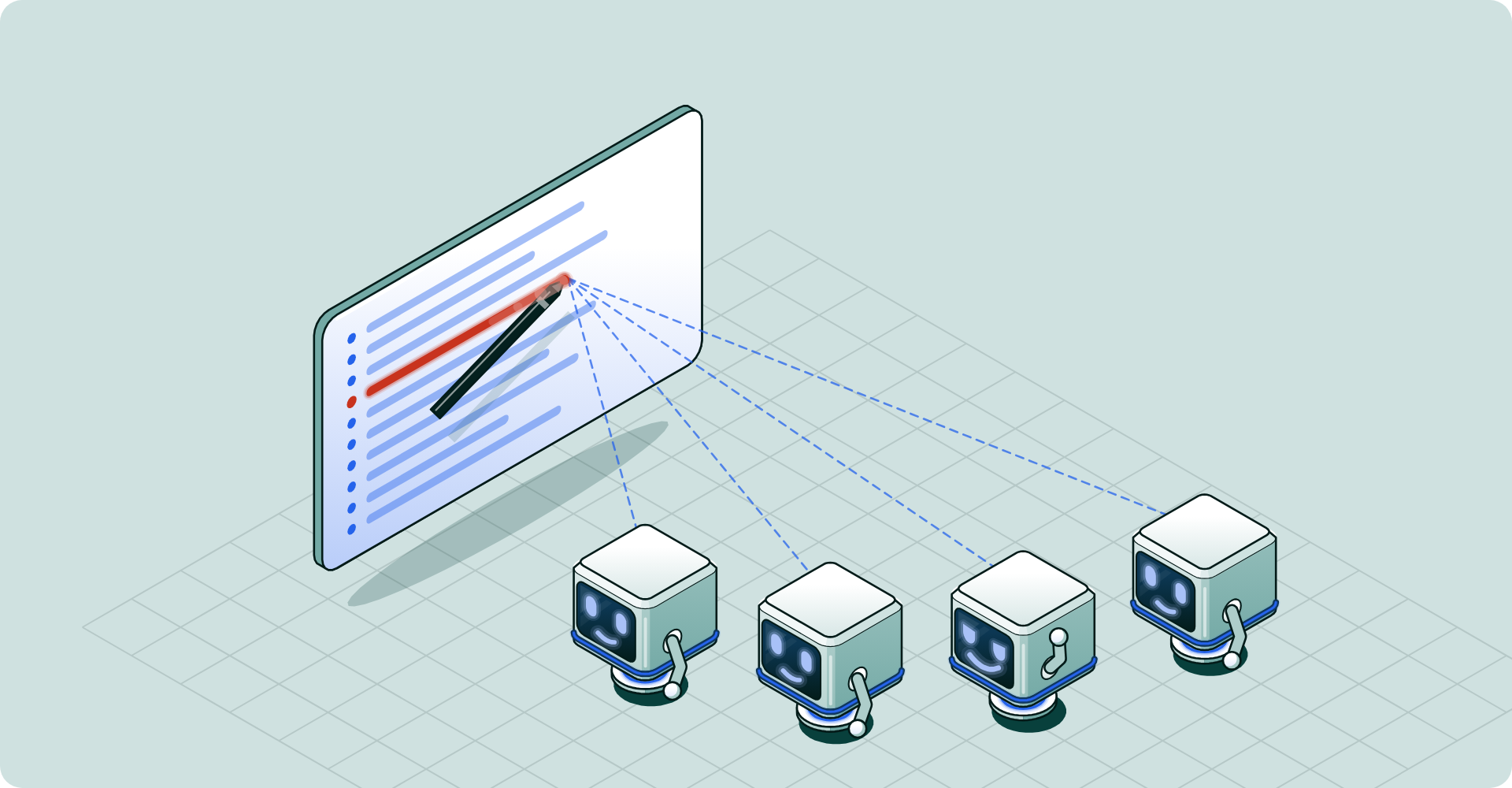
ONE SHARED RULEBOOK: Every agent loads the same rules each session so one edited line reaches all of them
These beliefs are ranked by what a mistake costs a company. The first four are about security and scope, because those are the mistakes hardest to take back: customer data that has left, money an agent has sent, keys lifted from a developer's laptop, a bill already run up. I expect more hacks in the next couple of years than in the last couple of decades, because agents now work on their own, around the clock and in swarms, in ways people haven't accounted for. I build with AI every day on my own products, and I did it for three years at Tools for Humanity. Several of these beliefs change between those two settings, and where a solo builder can reasonably skip one, I say where I'd draw the line.
1. Scope every agent before it ships, then widen it
When I went through the last year and a half of attacks on AI agents, what the attacker walked away with was decided in every case by whoever had set up the agent's access. In a company, what each agent can read and write should be defined before the system goes out, read-only at a minimum, and widened over time as the work shows it needs more. A company can explore safely that way without locking everything down, and every widening becomes a decision someone made on purpose. Scope set after launch has to be taken away from people who already depend on it, which is a much harder conversation.
When I wrote the policy for using Claude, Codex and Notion AI safely in the support organization at Tools for Humanity, read-only was the default, writes needed a dry run first, and hooks (scripts that check each action before it runs) blocked writes outside a role. Role-based access control (RBAC) at an agent gateway, the one layer every agent request passes through, was on the roadmap. As a solo builder I can get away with giving my agents wide access to my own projects, because I'm the one doing all of it and the data at risk is mine. The line is the first system that holds someone else's data or work, like a customer's record or a colleague's files, and past it the scope gets set before release.
Credentials need limits in time as well as reach. Agent tokens should be short-lived and scoped to one role, so a stolen token works for one job, briefly, and then stops on its own. That should be standard in corporate environments now, and it matters even more for the agent economies starting to form, like marketplaces where agents deal with other agents. I expect it to matter most in finance, where agents will pay and get paid by other agents, by people and by businesses, and in three-way setups like an agent dealing with a business through that business's own agent. Some of those aren't built yet.
2. A person approves anything that moves money or data, or leaves the building
An agent can prepare a payment, a refund, a record deletion or an email to every customer, and then the action should wait in a human-in-the-loop (HITL) queue until a named person approves it. Nothing the agent can reach should let it approve its own request, so the approval is a check in code that it can't talk its way past. Anything a customer or another team will rely on gets a person's check too, because when something goes wrong someone has to answer for it, and "the model said so" won't do. ALAI, my own team of AI agents, runs the same way. The agents draft and check each other's work, and the final calls are mine.
How heavy the check is depends on who reads the work next. A reply that quotes your refund policy goes past someone who knows that policy, an internal summary can get a lighter look, and if a person already reads and sends every draft, that reading is the approval. The checking is also the step that gets skipped, and I've skipped it. For five days, every change to one of my products failed its automatic tests, more than 30 changes in all, and nobody looked. Four new database tables never reached production, and every payment record would have failed to save. Now every agent session opens with a list of anything that's failing.
3. Install nothing on trust, however popular it is
Every package or skill you install runs with your permissions, so it can reach whatever you can: API keys, cloud accounts, the code itself. Popular packages get hit too. In September 2025, one npm maintainer was phished through a lookalike domain, npmjs.help, and attackers published malicious versions of 18 packages, including chalk and debug, which had about 2 to 2.6 billion downloads a week between them. Skills, the add-on instructions and scripts an agent loads to do a task, carry the same risk, and an agent is already there to run them. In February 2026, researchers auditing ClawHub, a public marketplace of agent skills, found 341 malicious skills among the 2,857 they checked, and 335 of those installed malware that steals data from Macs.
Trustless is my default, and I keep exploring anyway. A skill is mostly instructions and short scripts, so it can be read before an agent loads it, and anything nobody has read should run somewhere with no keys that matter. For a company I'd add an approved list of packages and skills, pinned versions, and a review before any update rolls out, because one developer's install can reach the company's secrets. A solo builder's worst case is their own machine and accounts, which is still reason enough to read first.
4. Put caps on anything that runs unattended, and dry-run it first
Agents that run on their own around the clock are great tools, and I'd still learn the basics on supervised work before turning one loose. I've seen plenty of horror stories of runaway AWS bills and token costs from agents left running with no caps and no controls. An unattended agent needs a spending cap, limits on what it can touch, and a way to stop it from outside that doesn't depend on the agent agreeing. Before the real run, it gets a dry run on a few items. A clean dry run proves less than it looks like. An agent's path through a task is probabilistic, so the same job can finish in a handful of calls once and loop for hours the next time, and one success doesn't mean the runs after it will succeed.
How much of this an agent needs depends on whether anyone is watching. A live session where someone sees each step needs little beyond a cap on the key. An agent running overnight in a company needs alerts on how fast its spend is climbing as well as how much has gone, and a person who checks in when one fires, which is most of what I'd build for AI cost control.
5. Decide what has to be deterministic before you build
Models are probabilistic. Ask the same question twice and you can get two different answers, and no setting fully fixes that. So before building a product, a site, a chatbot or an automation, I sort its parts into what has to happen the same way every time and what can vary. In the support bots I build, the model words the answers and escalation is a rule: a person who asks for a human twice gets one. Money, permissions and any number a person will act on as fact go on the fixed side. A brainstorm, a first draft or a research summary can be probabilistic end to end, because a person reads it before it matters.
How an agent reaches a tool is the same decision. MCP, the common standard for plugging tools into an agent, gives the model a list of tools and their descriptions and lets it decide which to call and what to pass. That's probabilistic and generally very helpful, especially for looking things up and exploring. For a clear, well-defined action like issuing a refund, I build the tool on the system's API directly, so code makes the call with fixed inputs, and the model can ask for the refund but can't change how it's done.
The fixed side includes how things fail. In one of my systems, a catch-all error handler once covered for a failed data source by swapping in default values and showing them as real, with no error and no sign anything was off. I'd have preferred a crash, because someone fixes a crash the same day. Now every agent and every build follows one rule for this: show the error and never fill the gap.
6. Read the work, then agree the number, before you pick a tool
Before I suggest anything, I read the real tickets, specs and handoffs. The problem is in there somewhere: the step everyone waits on, the answer someone types out by hand every day, the spreadsheet two teams keep in sync by copy and paste. Most of the waste piles up where work changes hands, because nobody owns the whole path, so when someone asks me to automate a step, I want to see the step before it and the one after. Speed up one desk and the pile usually just moves to the next. A product launch is the classic case: product, support and whoever writes the help center each retype the same facts, and by launch day their versions disagree. One source, with an owner approving each piece that comes off it, fixes that.
Before anything gets built, agree on the one number that decides whether it worked. Pick it afterward and you'll find one that makes the project look good, which everybody does. For a support bot, I'd pick the containment it still holds a month after cutover. If nobody can name the number up front, that's an answer too, usually "don't build this yet," and it's better heard before the budget is spent.
Check what you already pay for as well, since the help desk, tracker and docs tools may have AI features nobody switched on. If the tool is already bought and the contract has a year to run, the question becomes which work it fits, and you still answer it by reading the work. Sometimes one step really is the bottleneck, and then I automate it, after looking at its neighbors.
7. Connect agents to where the context lives and people already work
Unless a task needs no company knowledge, like tightening a paragraph, the context is most of the work, and what you control is what the model reads before it answers. My agents have to open the file that defines a setting, a config value or an API before they say anything about it. You can't guarantee the same output, but you can massively increase the odds. Working solo, my context lives in files in a git repository, and my agents load the rules and the index of notes every time a session starts.
In a company the context lives in tools like Slack, Notion, Google Docs, Linear and GitHub, and agents should be connected to that layer, where people can work with them directly. At Tools for Humanity we connected Notion, Slack, Linear and GitHub, so we could discuss work across all of them in one place. A Slack workflow could tag Linear's agent, which read the team's doc to triage the request, asked for anything missing, and confirmed or changed where it was routed, while the Slack thread synced to the issue. I think that's why Slack is winning right now: it's where people already talk, and an agent there can pull context from everything else. Connecting everything also means an agent can read everything, so these connections follow belief 1, read-only first and scoped to the people who use the agent.
8. Run exploratory tests on the live system, then release in stages
One pipeline fix in my own tooling ate a whole session. I patched problems one at a time as they surfaced: a missing runtime, the wrong user, an API key that wasn't mapped, empty responses, no access to the code. Half an hour of exploratory tests against the live system first would have caught every one. Now, before any build that touches five or more files or adds a new integration, my agents write small tests that probe the real boundaries first: can we call it, what comes back, do we have access? Below that line, I just build.
The same goes for a reporting dashboard. Before anyone sketches a chart, have the agents pull from the endpoints and check what's there against what the documentation promises. After the build, the first test that counts is live work on a small share, because a demo only runs on the questions you picked. How small depends on what a mistake costs. World App's support bot started on 5% of live traffic because every conversation began with a fraud check and about 40 million people used the app, while a low-stakes internal tool may not need the ramp at all.
9. Every company needs a harness, with one voice in it
A harness is the shared setup everyone's AI tools run inside: the rules they load, the checks (hooks) that block what's off-limits, and a profile for each kind of work. My agents all run inside one, and they load the same rules every time a session starts. A company's version needs layers. Company-wide rules and hooks sit underneath, and each department tailors its own on top. All of it lives in one place, where anyone can propose a change the way engineers propose code, as a pull request.
Engineering gets its own rules and permissions, but when an engineer's agent builds a screen, the colors, type and spacing still follow what the design team set in Figma. One profile for everyone won't work, because Legal and engineering need different rules, and both would end up working around it. We didn't have a harness at Tools for Humanity, and I think we should have.
Every harness should also carry one voice, tone and brand guide, so a support reply, a sales email and a help article written by three different agents sound like the same company. Build an asset universe to match: templates, images, diagrams and sample copy made to the guide, which agents pull from instead of inventing their own. At Tools for Humanity I built my own internal brand guidelines from World's public brand page, and everything public-facing I made followed them. A solo builder needs the same thing, as one guide per project or one for everything, depending on how they work. The guide is an instruction the model weighs, so it raises the odds of the right voice, and anything public goes past a person anyway (belief 2).
Company-wide rules and hooks sit underneath, and each department tailors its own on top
EVERY COMPANY NEEDS A HARNESS
10. Put every correction where the tool will find it next time
When AI gets something wrong, the easy move is to fix the output by hand and keep going, and then the same mistake comes back next week, for you or whoever sits next to you. I assume I'll end up redoing any work I do by hand, in some form, so the correction goes where the tool will find it next time: a script, a saved skill, a memory note or a rule. An agent cleaning up after a browser test once killed Chrome on my machine and took my own browser sessions down with it. That became a hook, a check that blocks the command before it runs, for every agent I use, and the mistake happened once.
Whether a correction becomes a hook or a written rule depends on how bad the outcome is and whether a script can spot it without understanding the work. Killing my browser, force-pushing over the main branch and printing a secret into a log pass both tests, so they're blocked in code. Whether a design is sound or a paragraph sounds right can't be checked that way, so those stay as rules the agents read and weigh. In a company, the correction should go into the harness by pull request, so every department's agents pick it up and not only the person who hit the problem.
11. Match the model and the context to the task
Every call is a choice of model, and the price gap between tiers is wide: on Anthropic's price list, Opus 5.5 costs 40 times as much per token as Haiku 5.5. I route by the type of work. Planning always goes to the most advanced model I have, and coding mostly runs on Opus 5.5, which is very capable and great for the price. I could get away with Sonnet for a lot of that coding, and I choose per job. A company can write the same choices down as rules, a model per type of task, or put an orchestrator in front that picks the model for each request within those rules.
Context is the other cost, and it decays. A long conversation fills with old tool output, dead ends and instructions that changed an hour ago, every new turn sends that whole pile again, and the answers get worse as it grows. I split longer work by theme into new conversations, which saves a lot of tokens. Prompt caching handles what doesn't change: keep the fixed instructions at the top of the prompt so the provider can reuse them at a discount, and on Anthropic's API, turn caching on, since it's off by default.
12. Build it so you can walk away from any vendor, me included
If Anthropic went down today, I could keep working. My rules, notes and specs are plain text files in a git repository, set up so another AI platform can read them and pick up where Claude left off. A company should hold its prompts, rules and knowledge the same way, in files it owns, outside any one vendor's app. The furthest version of this is running a model yourself, and I'm still exploring local models. That space is moving fast, and quantized models, large models compressed to run on smaller hardware, put a lot of a large model's capability in a much smaller package.
The same goes for people. If a vendor or a consultant is the only one who understands how a company's AI works, the company is renting it. When I hand over a build, the team gets a walkthrough and a written runbook and runs it themselves before I go. Then my access comes out, the keys I used get rotated, and it's theirs. A fractional lead is the one exception, since you hired them to stay.
Belief 6 is where my paid work starts. The two-week AI Workflow Diagnostic reads one of your workflows end to end and ranks the automations worth building, and "don't build this yet" is one of the possible answers.
Services
- Is your company paying for AI that hasn't changed how the work gets done?
- Is your bot handing more conversations to agents than the vendor promised?
- Is your AI wish list growing faster than anyone has time to build it?
- Are you paying for more AI seats than your team actually uses?
- Is the bot you launched last quarter still giving last quarter's answers?
Is your company paying for AI that hasn't changed how the work gets done?