The bot that looked like a failure, and four other lessons from Tools for Humanity
Four lessons for anyone buying AI help, from the help desk behind World App: score each agent on its own job, pull report numbers from the warehouse, route tickets on rules you can trace, and move teams onto new tools by rebuilding what they already use.
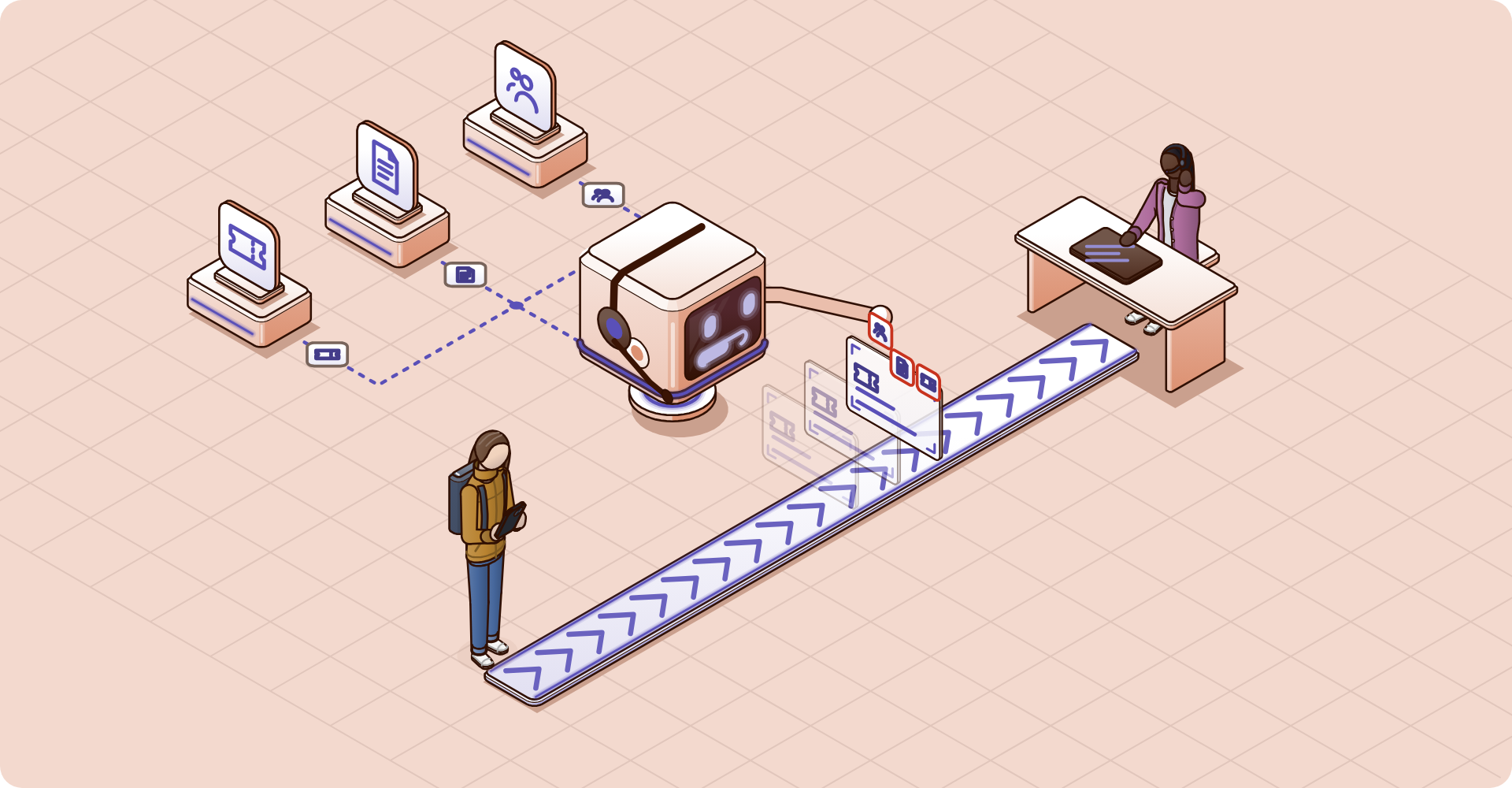
ESCALATION IS THE JOB: Designed to skip the AI reply entirely a person gets the ticket with every detail filled in
For three years I owned the help desk at Tools for Humanity, the company behind World App and its roughly 40 million users. At peak, support handled about 250,000 tickets a month across in-house and outsourced teams. On top of that operation I built and managed six AI agents, rebuilt how tickets reached the right team, and set up the work system that support and teams from Legal to Fraud ran their requests through.
Across all of it, the question I kept coming back to was which parts of a system had to be deterministic and which could be probabilistic. Deterministic means the same input gets the same result every time, the way a rule, a lookup or a database query does. Probabilistic means a model's best read of the situation, which can come out differently on the next run. Which queue a ticket goes to, what the records say about a specific Orb, and the numbers in a report all need the same answer every time, so they belong in rules, API calls and queries. Working out what a customer meant, or what a month of complaints have in common, is work for a model.
Score each bot on the job it was built to do
The six agents had different jobs. One answered World App users and one answered questions about World ID. Another was for people standing at an Orb, the device where people get verified, who were trying to sort out their verification without downloading the app. One served Orb operators, the people who run those devices, and there were staging versions too, where changes got tested and demoed before anyone else saw them. Containment, the share of conversations a bot finishes without a person, only makes sense for a bot built to answer people itself, so every containment number I quote is the World App bot's alone. Those numbers, and why that bot started on 5% of live traffic, have their own write-up.
The operator bot was built to escalate. When an operator asked about a specific Orb or location, the bot made API calls that enriched the ticket's metadata with that Orb's or location's details, then handed the case to a person, who could start troubleshooting with those details already on the ticket. The details came straight from the system that held them, through the API, not from anything the bot had to work out, which is how I'd want any bot to put a fact on a ticket. Graded on containment, it looks like a failure, because handing off was the point. For a bot like that, I'd time how fast the person who picks up the case can act on it, and count how often they still have to go back to the operator for something the bot could have looked up.
This matters most when a vendor or a dashboard hands you one containment number for a whole set of bots. Averaged in, a bot built to hand off drags the number down and hides how the bots built to answer are doing. I'd ask for the number per bot, with each bot's job written next to it.
Let models read the feedback, and pull the numbers from the warehouse
I designed and stood up a pipeline that turned rated support cases, the ones where a customer left a satisfaction rating, into written findings. Several AI models read and sorted the cases, and the findings were broken out by brand, category and device OS, so a problem with one brand or on one operating system showed up on its own. It cut the manual analysis, the reading and sorting people had been doing by hand, by 90%.
Every metric in those findings came straight from Snowflake, the data warehouse, and Metabase, the dashboard tool. The models did the reading: what each customer wrote, what the complaints had in common, which cases belonged together. I kept the arithmetic with the queries on purpose. Ask a model to total a column or work out a percentage across thousands of rows in its own reply, and the next run can give a different answer, or a confident wrong one, with nothing in the output to tell you which. A query returns the same number every time, and anyone who doubted a number in the findings could pull it up in Metabase and check.
Connecting tools to a model raises the same question. MCP, the common standard for plugging tools and data into AI models, is very helpful, and it's probabilistic: the model decides which tool to call and what to ask it. That's fine for exploring a dataset or answering a one-off question. For a number that goes into a report or drives a decision, I'd build the query on the API or in the warehouse directly, as a clear, well-defined tool that runs the same way every time and that anyone can rerun.
Route tickets with rules you can trace
Every one of the roughly 250,000 tickets a month at peak had to land with a team that could solve it, in-house or at an outsourced vendor. Before the rebuild, a ticket that landed in the wrong queue sat there until someone moved it by hand. I rebuilt the routing in Zendesk from triggers, ticket forms and routing queues, so a ticket's form and fields decided where it went. At launch, time to first reply fell 71% and resolution time fell 46%.
The routing rebuild cut time to first reply 71% and resolution time 46% at launch
Each bar is the time before the rebuild. The open part is what it cut.
ACROSS IN-HOUSE AND OUTSOURCED TEAMS
Routing is the part of a support system I'd keep deterministic even with good models available. With rules, the same kind of ticket goes to the same queue every time, and when one lands in the wrong place there's a rule you can find, read and fix. I'd flagged that renaming a support group would cascade through the routing, and when a batch of tickets later landed in the wrong queue, that was the cause. Because routing ran on rules, I could trace those tickets back to the change and fix it. A model sorting tickets gets most of them right and misses the rest in ways nobody can predict, and at that volume a small miss rate means a lot of customers waiting on a team that can't help them.
A model can route when a wrong call is cheap and someone sees it right away. In the Linear and Slack work system I set up for teams across the company, an AI agent took the first pass at triaging internal requests and confirmed or rerouted them, with the person who asked in the same Slack thread to catch a mistake. Those were far fewer requests than support's, and a wrong call was easy to spot and fix. Customer tickets at a quarter of a million a month, split between in-house and vendor teams, are a different case.
Start a team on a new tool by rebuilding the setup it already has
I set up every team in that work system myself, from support to Legal, Privacy, Fraud, and Trust and Safety. Trust and Safety and Privacy already ran their work in Jira, so I rebuilt their Jira setups in Linear, the issue tracker, one for one. Every team kept coordinating in Slack, where they already talked, and the work itself went into Linear. For the two teams coming from Jira, day one changed where the work lived and very little else.
The system grew past 1,000 issues across 38 active projects, and Product and Engineering dropped the duplicate Notion database they'd been keeping. I built it with Claude, the Linear API and Slack workflows, and the triage agent had something to work with because the requests and the conversations about them were already in Slack and Linear. That's how I'd bring AI into any team: connect it to where the team's context lives and where people already work, so people and agents work on the same things in one place. At Tools for Humanity that meant Slack, Linear, Notion and GitHub. I'd start a team on any new tool the same way, by rebuilding what they already have and changing it once they're working in it.
Before anyone buys or switches on an AI tool, I'd want those calls made for the workflow it's going into: what the tool is for and how it'll be scored, which steps have to give the same answer every time, where its numbers come from, and how the team will start using it. The two-week AI Workflow Diagnostic starts there, with one workflow mapped end to end before anyone picks a tool. It ends with the two or three automations worth building and a plan to build them, and sometimes with a recommendation not to build yet.
Services
- Is your company paying for AI that hasn't changed how the work gets done?
- Is your bot handing more conversations to agents than the vendor promised?
- Is your AI wish list growing faster than anyone has time to build it?
- Are you paying for more AI seats than your team actually uses?
- Is the bot you launched last quarter still giving last quarter's answers?
Is your company paying for AI that hasn't changed how the work gets done?